
Most websites offering a web service require you to authenticate with an username and password. How many times in a week do you find yourself, scrambling to your email to find that registration email you received or hitting the ‘Forgot your password?’ link?
As a good ShanKri-la reader would do, you take good care of your crucial passwords like your bank account, credit card accounts, insurance accounts, etc. You don’t forget them. You don’t write on a paper and leave it lying at work. You don’t write it and keep it in your wallet in case it gets stolen. You REMEMBER them.
But, what about the other dozen or two username and passwords that you use to login to del.icio.us, MyBlogLog, BlogCatalog, New York Times, Flickr, Photobucket or such services? Do you remember them all? If you do, you probably haven’t changed them since 2002 or you use the same simple and easy to remember (easy to guess?) password for everyone of them.
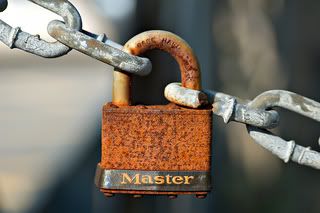 Nothing wrong with that approach until you find out the password requirement for the site you are registering requires a number in it. Another site doesn’t allow a hyphen in the username. Soon, your quest to achieve nirvana in maintaining a standard username and password for all your web accounts is in shambles. Don’t worry, you are not alone! Help is on the way to you..
Few smart ways to manage these non-essential passwords
- Firefox Password Manager: If you are a Firefox user, you could use the built in password manager secured with a hard to guess master password. It is pretty secure and no one else can access it without the master password.
Downside: You either have to sync all your username/passwords across your different computers (leave a comment or use the contact form, if you’d like to learn how) or at the mercy of your memory if you are on someone else’s or a public computer. - USB drive Password Managers: There are many solutions for this. KeePass is what I use and it is excellent at what it does and offers excellent password encryption options. [see this post at eJabs for more info]
Downside: If you rely on your USB drive, make regular backup of its content. (I use FileHamster to backup mine) If you lose it or forget it, the scramble starts again! - Old school online password managers: I am leery using these services. If they offer to store your account information on their servers, say a big thank you and close the window and step away from your computer. Well, at least look elsewhere. If you have to, please don’t store any accounts with sensitive information like your credit cards, etc.
Downside: You might as well ask your neighbor or a colleague to have a list of these for you. - New age online password managers: This is new to me and I just stumbled on it while reading a post by Tim at Daily Cup of Tech and was intrigued by the idea behind Clipperz. It is touted as a new breed of web applications – ‘zero knowledge’ web apps. (you probably guessed my obsession for web apps if you looked at the Category figures)
How it’s done: You create an account with a super sensitive super secure password. This is your encryption key. You enter your username and passwords and they get encrypted in your browser before it gets stored on their servers. So, they have no knowledge of what we stored but just a bunch of scrambled bits which only you can decrypt with the master password. Plus, you have access to it wherever you need it.
Downside: You are still storing your passwords on someone else’s servers, encrypted or not. There is debate for and against this and how secure this is. Obviously folks at Clipperz thinks so, as they confidently suggest storing credit card info, burglar alarm codes, software keys, etc.
I will hold-off doing just that, but have started using it for my non-essential passwords especially for their one-click ‘Direct Login’ feature. I already have 27 logins entered! With a full time job, blogging as a hobby takes a hit and I am always looking to be efficient in the web and Clipperz provides this to me with this one feature!
Watch out for a review of Clipperz in the next few days.
If you haven’t learnt anything new from this read, I hope to atleast make you think about how you manage your passwords. With the sheer number of them needed in our daily lives, it is easy to treat your bank account login and New York Times login with the same sense of security when it shouldn’t be the case.
Let us know how you manage your passwords? Do you treat your crucial and non-essential passwords different? If yes, let’s hear how.


I can sooo relate to this! So why DO they need a letter in it? Is it MY security or theirs? And who really believes that passcodes allow for universal “security” anyway? Not me. NOt as long as there is a US-as-we-know-it.
It seems that every notebook or list I’ve ever created with pen and paper manually gets ignored occassionally and then it gets messy and the then the noteookor page gets used-upp and I don’t recopy it or whatever.
Naturally, I LOVE the idea of a universal pass code instead of bothering to long for a convenient way to store and retrieve the myriad of passwords through this or that system.
How nice of you to assemble this collection of devices.
All the best.
I know exactly what you are talking about, Nia. I face the same exact problem and i don’t even try to have them stored in a notepad. Because I forget to update them whenever I sign-up to a new service.
I think OpenID might be the answer for this and it is slowly gaining traction.
I’m glad you foud the list useful.
Great tips!
I used KeePass for awhile to store them, but I’ve found most sites let you store your passwords within Firefox, then I sync them using Google Browser Sync so I don’t have to worry about losing them.
This definitely gives me some ideas to think about though 😉
I did just about the same until I came across Clipperz. Now, it has made me review my current practice. In fact PassPack, seems to be pretty close to Clipperz but at a glance I noticed that it might not have the ‘Direct Login’ feature in Clipperz.
I use this little program called Any Password. The hardest thing is remembering to put your new passwords in there. I have a habit of it though and my husband has the password to is should something happen to me. He can go into the almost a thousands sits that I have passwords for and find any money owed to me.
Thanks for this Guide really help .! Its awesome! love this blog.
Cheers!
Lastpass. It’s widely used, integrates into multiple browsers, and the data is stored in an encrypted format online. It generates powerful passwords for you according to rules you specify. It also stores a local cache of your passwords (encrypted, of course) on your own browser. If you ever lost access to the server, you’d most definitely want a local copy. Make sure clipperz gives you access to your passwords if their servers ever become unavailable.