
It feels like it has been a while since Flickr has been in the news. Yet, it is one of my favorite applications partly because of my interest in photography. Some day I want to dig deeper into it but right now I am content with enjoying others’ fine pictures.
Uploader Upgrade
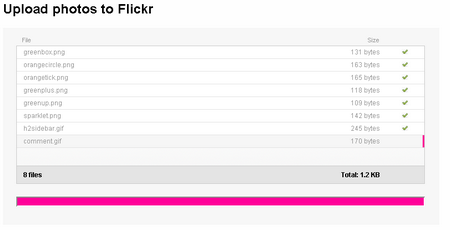
Flickr used to restrict number of simultaneous uploads in their web interface to 6 pictures at a time. I just used a software uploader instead so far. But, it is kind of annoying if you are traveling or on someone else’s computer trying to upload pictures. Their new web uploader has removed this restriction.

When you select ‘Choose Photos’, it opens up a folder you can browse to and select all the photos you need in one shot.
Batch Edit
They have also improved the batch edit after upload and let you tag groups of photos, add descriptions and assign to sets. If you would like to edit previously uploaded photos, check out their Organizr feature, which is a very cool way of visually dragging a bunch of photos and editing their properties together.
I find this update very useful for times when I might not be at my computer.
[via Webware]


Hi,
This stuff gives the real information one needs. One can feel like reaching the destination.
Thanks.
Thanks for stopping by to comment, Tom. Glad you find it useful.
Thanks for the mention buddy . Even i hated the restriction of 6 files
You are welcome, man! It’s a welcome relief, I am sure, to a lot of us. 🙂
Good stuff.
So, how do we find you on Flickr?
Here’s me:http://www.flickr.com/people/autofocused/
🙂
Hey Chris, welcome back here! I knew this post would make you comment. 🙂
http://www.flickr.com/photos/_enigma_
Please don’t laugh at my pictures. Be nice, Chris.
They’re pretty cool K, would benefit from some more info in places though 😉
Thanks, Chris. I have plenty of pictures I should upload and add descriptions on where it was taken too..